Follow Us


Your Dar Employee Card serves as your official identification and your office access card. Once your picture has been taken and the card has been processed, it will be delivered to you.
- Security: Please keep your employee card with you at all times. To ensure it remains secure, you may request a clip or holder from your Department Assistant.
- Attendance: To log your entry and exit times, you must pass your card through the magnetic reader located at the department entrance.
Our goal is to provide a secure and efficient workplace environment, and we appreciate your cooperation in using the access card system.
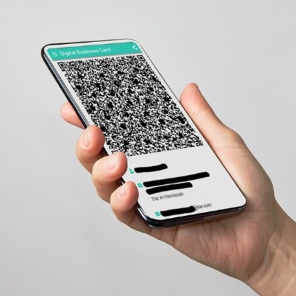
In line with Dar's commitment to digital transformation you can download your Dar's Digital Business Card on your mobile.
To activate your personal digital business card:
|
1- |
Visit insidar: https://mobile.dar.com on your phone's web browser |
|
2- |
Follow the on-screen instructions to install the app (available for both iOS and Android). |
|
3- |
Provide your Dar credentials to access the application. |
|
4- |
Select "Share Card" on the home screen, validate your personal contact information, and contact the HR Department for any necessary modifications. |